Shopify App · Cross-Device Cart Sync
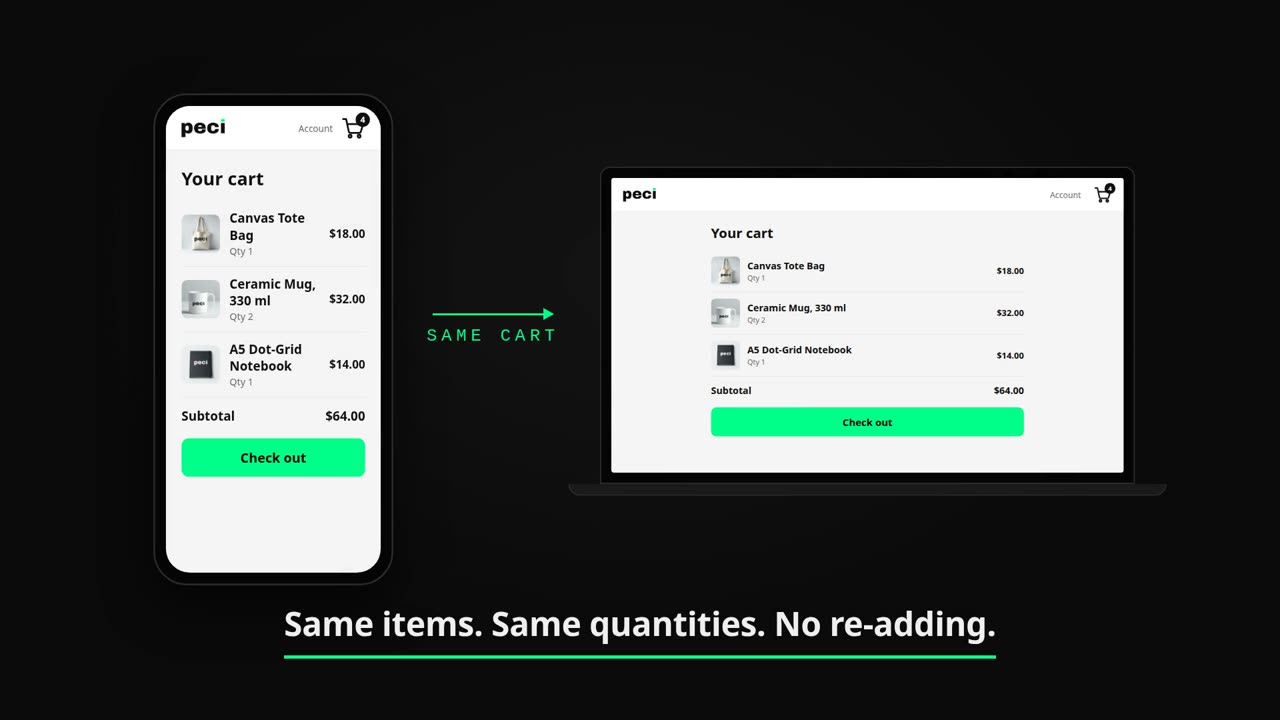
Persistent Cart syncs shopping carts across devices for logged-in customers. Start on mobile, finish on desktop — without losing a single item.
Free plan available · No credit card · Registered customers only
How it works
Persistent Cart activates entirely from your Shopify Admin. No custom code, no developer required — enable the Theme Extension and your customers' carts start persisting immediately.
01 — Install
Online Store → Themes → Customize → App Embeds → Persistent Cart. Under 60 seconds. Required for all features.
02 — Sync
When registered customers log in on any device, their cart is restored exactly as they left it. No friction, no lost items.
03 — Share
Customers create a shareable link to save their cart or send it to a friend. Smart merge handles conflicts on return.
Features
Cross-Device Sync
Registered customers find their cart waiting on every device. Automatic synchronisation on login — no manual save needed.
Requires customer login · Mobile, tablet, desktop
Save & Share
Unique links capture the exact cart state. Share with friends, save for later, or send directly to checkout.
Free: 50 links/month · Pro: unlimited
Smart Merge
Intelligent conflict resolution prevents duplicate items when shared carts merge. Customers stay in control throughout.
Conflict dialog gives customers full control
Privacy First
No names, no emails, no personal data. Only anonymous cart tokens and variant IDs, automatically deleted per your retention settings.
Encrypted in transit and at rest
Shopify Admin
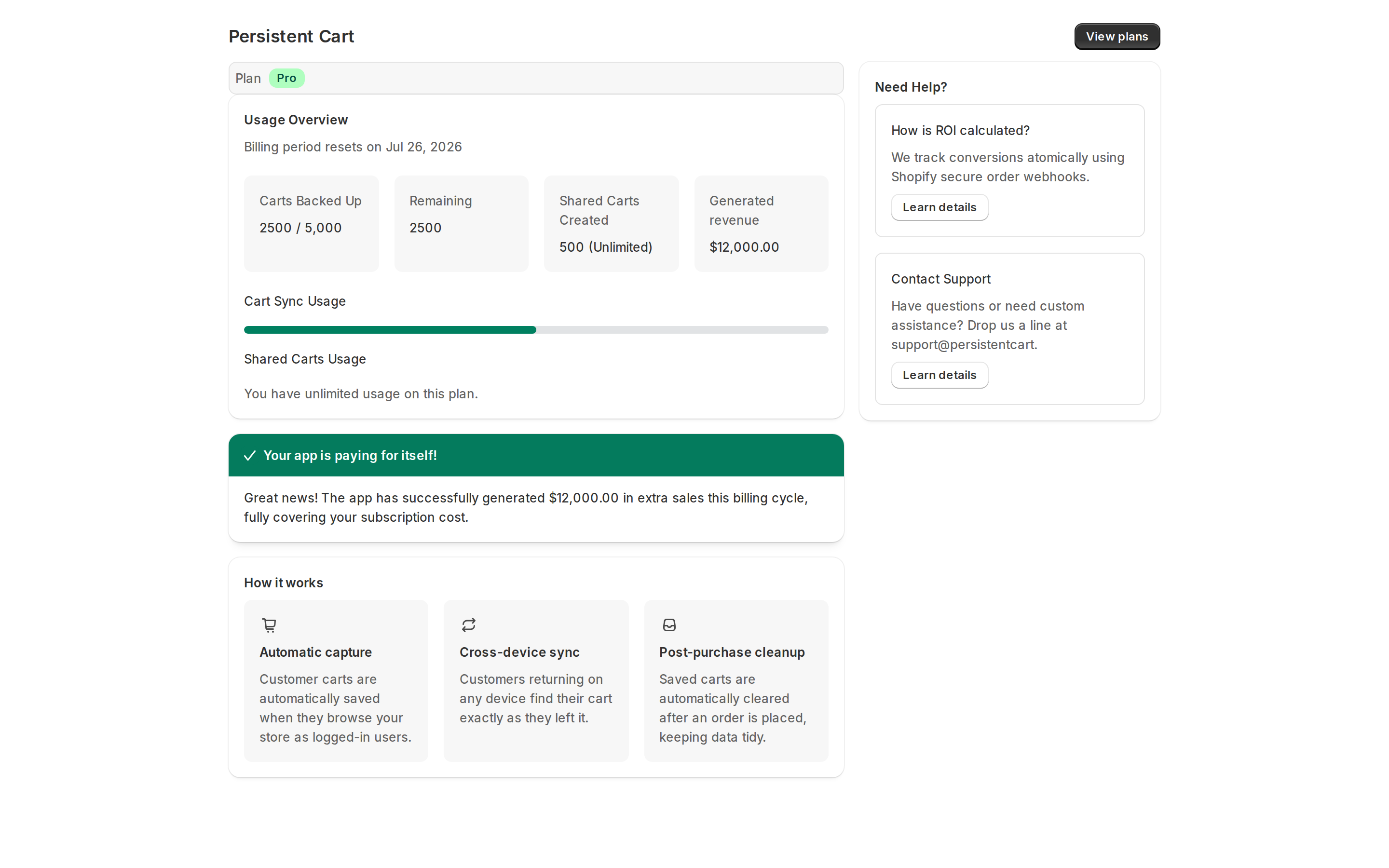
Cart sync stats, link usage, and retention settings live inside the familiar Shopify Admin. No new UI to learn — just your data, where you expect it.
Install and explorePolaris-native UI · light mode
Pricing
Free
Forever free
2-day cart retention
Basic
per month
Extended retention
Pro
per month
30+ day retention
Advanced
per month
Maximum retention
Two things to know before you install
FAQ
Does this work for guest customers?
Guest customers can save their cart locally and use the Share link, but cross-device sync requires a registered account. This is a Shopify platform constraint, not something we can work around.
Do I need to install anything in my theme?
Yes. Enable the Persistent Cart Theme Extension from Admin → Online Store → Themes → Customize → App Embeds. Required for all features. Takes under 60 seconds.
How long are carts stored?
Free plan carts are deleted after 2 days of inactivity. Paid plans offer extended retention configurable from your settings. Deletion is silent — no warning to customers before purge.
Is customer data secure?
We store zero personally identifiable information — only anonymous cart tokens, product variant IDs, and quantities. GDPR compliant, encrypted in transit and at rest.
Can I share carts on the Free plan?
Yes. Free plan includes up to 50 shareable cart links per month. Pro and Advanced offer unlimited links.
Ready to start?
No credit card required. Free plan available forever. Theme Extension setup takes under 60 seconds.
Requires Theme Extension · Cross-device sync for registered customers only